

Your business is set up with a Google Business page, which is great, but it doesn’t stop there. Reviews. They will help tremendously, not only with SEO, but also in earning customers’ trust. When it comes to attracting more customers reviews will help choose your company over your competition. Who regularly reads the reviews when buying anything online, choosing a restaurant, or picking out a service provider? *raises hand*
A recent survey from Zendesk found that 90% of respondents claimed that positive reviews affected their purchasing decisions, with 86% saying negative reviews were also an influence. In other words, reviews matter. Your brand is defined by those who experience it.
Ready to get noticed with 5-stars? Start with these tips for getting more Google reviews:
Make It Easy by Educating Your Customers
For many people, the barrier between them leaving a review or not is simply they have no idea how (or where) to leave a review – so educate them!
Tip: Include a review link (see below for how to find that link for your business!) in your email signature, on your website, and in your company email newsletter. This simple call-to-action can generate a decent amount of reviews on its own.
Simply Ask in Person
You’d be surprised how many businesses don’t think to ask for a review and quite frankly there’s no better way to ask than being face-to-face with those customers you have a good rapport with.
Send an Email Asking for a Review
People generally love to share their opinions; they just don’t know the opportunity is there or think to leave a review. Send your best customers a quick email with a direct link to your Google My Business listing and make the process simple for the person leaving the review.
Not sure how to ask for reviews? We’ve created you a little cheat sheet – view our Google review request template.
Don’t Forget to Respond
It goes with the famous quote, “You never get a second chance to make a great first impression.” When a customer sees that the business owner regularly responds to feedback left on Google, they will be more inclined to want to share their feedback as they know someone will be reading it. Make each response opportunity count!
Linking to your Google My Business Review Form
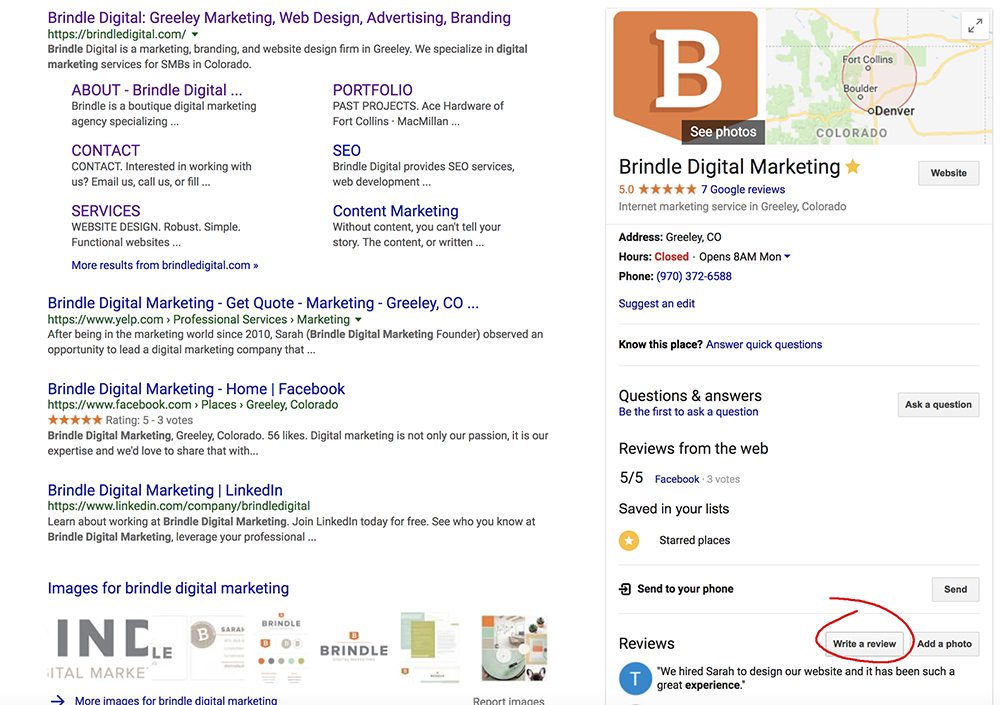
1. Search for your company name on Google
2. Next to your business listing, click on “write a review”
3. Once the review box has popped up, copy and paste the URL in your browser
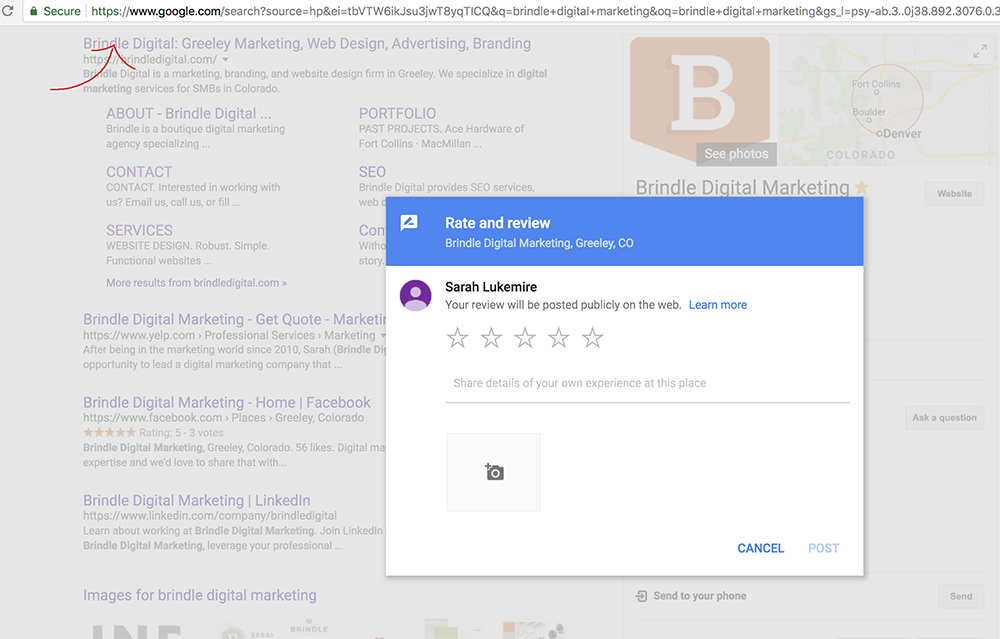
4. Send this link to customers to make it simple for them to leave you a review
Ready to raise your organic search rank and build your online reputation? Get in touch, we’d love to chat.